-

360 Video Editing in Final Cut Pro 10.4
Place your viewers in the center of the action by learning now to edit and deliver 360 videos to the web or head mounted displays.
AI-Enhanced Workflows in Creator Studio
AI-Enhanced Workflows in Apple Creator Studio explores how Final Cut Pro users can boost productivity by integrating Apple’s creative apps with a wide range of built-in and third-party AI tools.
Animating with Behaviors in Motion
Learn how to quickly create stunning motion graphics using Motion’s unique and powerful set of procedural animation tools called Behaviors.
Animations
Animations is a free plugin for Final Cut Pro X that contains 3D animation presets with customizable speed, timing, and fade effects.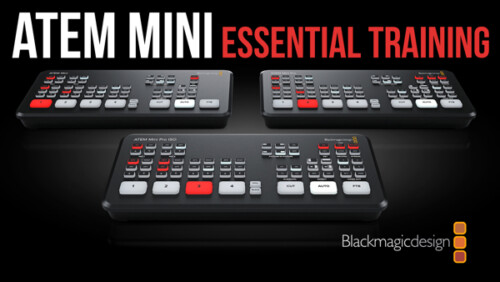
ATEM Mini/Pro Essential Training
ATEM Mini/Pro Essential Training is a deep-dive tutorial covering all aspects of the Mini and Mini Pro versions of this popular switcher for producing professional live streams.
Audio Post for Video in Logic Pro X
Explore and learn real-world audio post production techniques as you build, fix, mix and ultimately output and mix a soundtrack from a short film using Logic Pro X.
Building a Motion Graphics Toolkit for Final Cut Pro X
In this tutorial, you’ll learn how to build an awesome collection of text, graphics and animated elements that will be readily available within Final Cut Pro whenever you need them.
Building a Promo in Final Cut Pro
In this tutorial, you will edit, grade, audio sweeten and deliver, a corporate video for a high-end winery in Napa Valley, Ca.
Bullets
Ripple Bullets is a collection of 12 title plugins for Final Cut pro X which makes it easy to add animated bulleted lists over your video.
Callouts Complete
Callouts is our best-selling collections of animated arrows, shapes, magnifiers, pointers and more to focus your viewer's attention exactly where you want it.
Color Balance
Manipulate color balance and contrast using familiar color wheels
Color Grading in DaVinci Resolve 20
Color Grading in Resolve 20 will teach you how to leverage DaVinci Resolve 20's deep color grading tool-set to improve both the quality of your images and the speed at which you’ll be able to work.
Color Grading in Final Cut Pro
Color Grading in Final Cut Pro teaches you both the art and science of color grading, unlocking the full potential of Final Cut's deep tool set in the context of a structured grading approach so that you can manipulate color to support your storytelling goals.Sale!
Color Management in DaVinci Resolve 17
Color Management in Resolve 17 is a tutorial created to optimize your workflow giving you the confidence that your final output will be the best that it can be.
Commercial Editing Techniques
This tutorial will help you understand the editorial decisions that go into creating an engaging commercial by teaching techniques that sell your product and leave an impression.
Creating 3D Titles in Motion
An immersive tutorial focusing on Motion’s 3D titles. Learn how to place 3D text into scenes that include realistic environments, lighting and shadows. Also learn how to make custom textures, layers and finishes.
Creating Action End Titles in Motion 5
Mark Spencer will show you how to give your titles the Tarantino treatment. Learn how to create highly stylized, gritty title sequences for your films, commercials or music videos. This tutorial assumes you are comfortable in Motion.
Creating Effects with Masks in Final Cut Pro 11
Learn how to use Final Cut Pro's Magnetic Mask, in combination with other masks for color grading, special effects, text effects, cloning effects and more!
Creating Particle Effects in Motion
Learn fundamental skills for creating, modifying and animating Motion’s particle system to create some seriously cool eye candy.
Creating Replicator Effects in Motion
Replicators are Motion’s secret weapon. This tutorial will show you how to use them for quickly creating animated graphical elements for backgrounds, titles, transitions and more, that will both wow and impress.
DaVinci Resolve 20 Core Training
In this introductory training course you’ll learn how to import, organize, edit, add effects, color grade, mix, and deliver finished projects using DaVinci Resolve 20.
Sale!
DaVinci Resolve Essentials Bundle
DaVinci Resolve Essentials Bundle includes our 2 most important tutorials for anyone wanting to learn DaVinci Resolve post-production. This bundle delivers 12 hours of content and includes the media for following along in DaVinci Resolve. SAVE 35% when purchasing the 2 tutorials in a bundle!!Sale!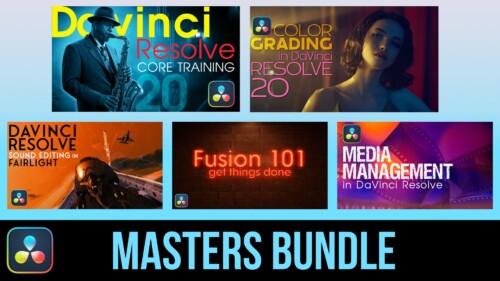
DaVinci Resolve Masters Bundle
DaVinci Resolve Masters Bundle includes our 5 most popular tutorials for anyone wanting to learn DaVinci Resolve post-production.
Drawing and Animating Shapes in Motion
Learn how to draw and animate shapes, which are the building blocks of motion graphics in Apple’s Motion.Go to Top