-
Sale!

Text in Motion 5
Our definitive video tutorial on creating, styling and animating 2D text in Motion. Learn how to format, animate, distort and randomize your text and even turn text into particles.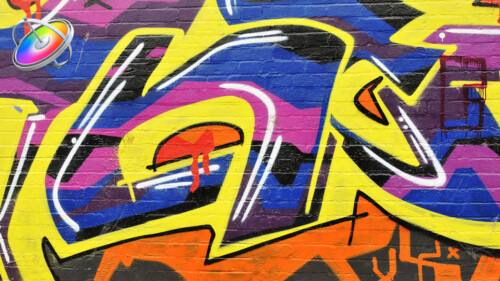
Creating Action End Titles in Motion 5
Mark Spencer will show you how to give your titles the Tarantino treatment. Learn how to create highly stylized, gritty title sequences for your films, commercials or music videos. This tutorial assumes you are comfortable in Motion.Sale!
Rigging & Publishing in Motion 5
Learn how to create custom titles, effects, transitions and generators in Motion 5, then publish them for use in Final Cut Pro X.
Warp Speed Effects in FCP
Designed as a companion tutorial to our best-selling Warp Speed Editing in Final Cut Pro, you’ll learn how to quickly create effects and dynamic visuals to enhance your story while creating maximum viewer impact.
Creating 3D Titles in Motion
An immersive tutorial focusing on Motion’s 3D titles. Learn how to place 3D text into scenes that include realistic environments, lighting and shadows. Also learn how to make custom textures, layers and finishes.
Commercial Editing Techniques
This tutorial will help you understand the editorial decisions that go into creating an engaging commercial by teaching techniques that sell your product and leave an impression.
Short Film Editing Techniques
More than just technical explanations of editorial techniques, this tutorial focuses on the creative thinking behind each edit decision and how they have a positive or negative impact on the story.
Music Scoring for Video in Logic Pro X
Unleash your inner John Williams by showing you the secrets of creating evocative scores and soundscapes for your films or videos using Logic’s powerful Synth and Percussion instruments.
Audio Post for Video in Logic Pro X
Explore and learn real-world audio post production techniques as you build, fix, mix and ultimately output and mix a soundtrack from a short film using Logic Pro X.
Guitars & Bass in Logic Pro X
A rockin’ tutorial that’s focused on recording, manipulating and mastering guitar and bass tracks. You don’t even need to play guitar to make great sounding tracks on your next project using Logic Pro X.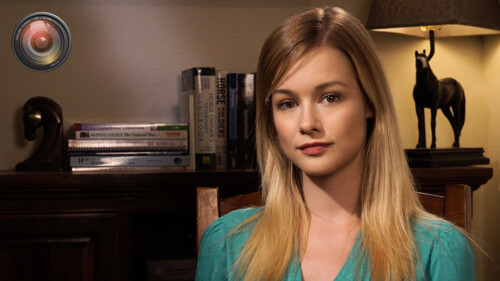
Lighting the Interview
This tutorial will give you the tools and know-how for putting your interview subjects in the best possible light while maximizing your viewer’s focus on your subjects. Learn effective lighting strategies for success.
Steps
Steps is a collection of 12 Final Cut Pro X transition effects that allow you to graphically demonstrate a procedure or process. Add video or still images to user-definable drop zones; modify the frame, text and background.
Video in Text
Create a Video-in-Text effect with drag and drop efficiency
RT Shutter
RT Shutter is a free Final Cut Pro transition that simulates a mechanical lens shutter as a photo is being taken
Timelines
Ripple Timelines is a collection of 8 Final Cut Pro X transition effects that create graphical timelines for your videos. Each transition is highly customizable allowing you to change just about everything.
Simple 3D Effect
Manipulate video or images along X, Y and Z planes
Optics
Optics is a Final Cut Pro X plug-in that creates a first-person perspective through different sets of camera viewfinders, scopes and binoculars.
Animations
Animations is a free plugin for Final Cut Pro X that contains 3D animation presets with customizable speed, timing, and fade effects.
Color Balance
Manipulate color balance and contrast using familiar color wheels
Drops
Drops is a plugin that lets you wrap your own images around 3D text in Final Cut Pro X.
Scenes
Scenes are a set of title templates for Final Cut Pro X featuring animated text inside full 3D environments with reflections, shadows, and customizable lights and cameras.