-
RT Shortcuts
RT Shortcuts is a Final Cut Pro title plugin that allows you to quickly add keyboard shortcut graphics to your tutorials and how-to videos.
Ripple Training for iMovie
Ripple Training for iMovie is a highly-focused video editing tutorial for Apple’s iMovie editing software.
RT TimeWarps
RT TimeWarps is a collection of 5 plugins that add frame rate, motion blur, strobe, trail and echo effects to your footage.
RT Tracking Essentials
RT Tracking Essentials is a collection of 9 titles and 3 effects that are specifically designed to work with Final Cut Pro’s object tracker.
RT Markups
RT Markups is a collection of 26 title templates that allow you to quickly emphasize or exclude text and other on-screen objects.
RT Arrows
RT Arrows is a set of 39 title templates for Final Cut Pro that give you the ability to add customizable animated arrows to videos, photos, and other visuals.
Commercial Editing Techniques
This tutorial will help you understand the editorial decisions that go into creating an engaging commercial by teaching techniques that sell your product and leave an impression.
Optics
Optics is a Final Cut Pro X plug-in that creates a first-person perspective through different sets of camera viewfinders, scopes and binoculars.
Kinetic Typography in Motion 5.3
Kinetic Typography is a popular style of motion graphics that combines animated text with the spoken word in such a way that it evokes a particular emotion or an idea. This tutorial will teach you how to animate text in a way that is both creative and fun.
Working with LUTs in Resolve 14/15
In this tutorial, you’ll learn how the proper use of LUTs (Look Up Tables) can benefit your grading workflow in Resolve.
Mixing Strategies in Final Cut Pro X
Gain a deeper understanding of the audio mixing and delivery process in Final Cut Pro.
Building a Motion Graphics Toolkit for Final Cut Pro X
In this tutorial, you’ll learn how to build an awesome collection of text, graphics and animated elements that will be readily available within Final Cut Pro whenever you need them.
Working with Audio Effects in FCP
In this tutorial, you’ll learn how to improve and enhance your voice tracks with just the built-in audio effects in Final Cut Pro.
The Art of Cutting Interviews in FCP X
Learn to edit interviews more efficiently using a combination of Final Cut Pro’s excellent metadata tools and third-party transcription applications and editing services.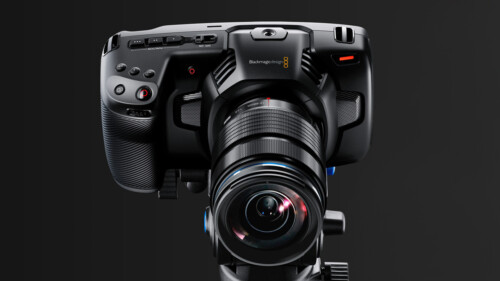
Up and Running with the Pocket Cinema Camera 4K
In this tutorial, learn the ins and outs of setting up and shooting with Blackmagic Design’s Pocket Cinema Camera 4K.
Warp Speed Grading Workflows in DaVinci Resolve 16.1
Warp Speed Grading Workflow in Resolve 16 will teach you the most time-efficient grading strategies when working in Resolve’s Color Page.Sale!
Color Management in DaVinci Resolve 17
Color Management in Resolve 17 is a tutorial created to optimize your workflow giving you the confidence that your final output will be the best that it can be.
Mark in Motion: Rigging and Publishing
Learn how to take motion graphics projects created in Motion and turn them into titles, transitions, effects, and generators for use in Final Cut Pro.
HDR Editing and Delivery
Learn the foundations of editing and delivering great looking HDR movies in Final Cut Pro.
AI-Enhanced Workflows in Creator Studio
AI-Enhanced Workflows in Apple Creator Studio explores how Final Cut Pro users can boost productivity by integrating Apple’s creative apps with a wide range of built-in and third-party AI tools.
FCP for iPad 3.3: Getting Started
A comprehensive and immersive learning experience designed to help you master Final Cut Pro for iPad.
Editing Faster for FCP X
Editing Faster fore Final Cut Pro is a video tutorial series that was created to help you improve your skills and maximize your efficiency when editing in Final Cut Pro.
Short Film Editing Techniques
More than just technical explanations of editorial techniques, this tutorial focuses on the creative thinking behind each edit decision and how they have a positive or negative impact on the story.
Creating 3D Titles in Motion
An immersive tutorial focusing on Motion’s 3D titles. Learn how to place 3D text into scenes that include realistic environments, lighting and shadows. Also learn how to make custom textures, layers and finishes.
Lighting the Interview
This tutorial will give you the tools and know-how for putting your interview subjects in the best possible light while maximizing your viewer’s focus on your subjects. Learn effective lighting strategies for success.
Bullets
Ripple Bullets is a collection of 12 title plugins for Final Cut pro X which makes it easy to add animated bulleted lists over your video.
Styles
Styles is a collection of over 200 beautifully diverse animated title templates organized into themes for easy browsing.
Scenes
Scenes are a set of title templates for Final Cut Pro X featuring animated text inside full 3D environments with reflections, shadows, and customizable lights and cameras.
Steps
Steps is a collection of 12 Final Cut Pro X transition effects that allow you to graphically demonstrate a procedure or process. Add video or still images to user-definable drop zones; modify the frame, text and background.
Ripple Whips 3.0
Ripple Whips 3.0 is a set of dynamic, camera-driven, highly customizable transitions that add energy and fluidity to your cuts.
Visual Storytelling for Corporate Video
This tutorial takes you through all the steps of creating a successful corporate video, from initial client briefs, editing, getting client feedback and delivering a finished video that meets the client’s needs.
Making Photos Come Alive in Motion
In this tutorial, you’ll learn how to separate your photos into layers then animate them in a variety of compelling ways using Pixelmator, Motion & mPuppet.
ATEM Mini/Pro Essential Training
ATEM Mini/Pro Essential Training is a deep-dive tutorial covering all aspects of the Mini and Mini Pro versions of this popular switcher for producing professional live streams.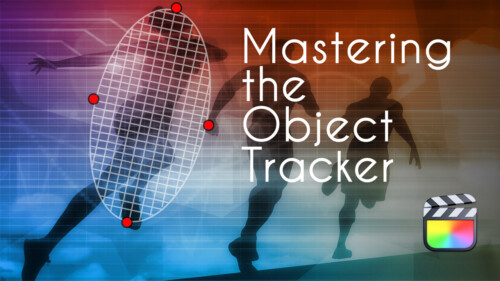
Mastering the Object Tracker in Final Cut Pro
Mastering the Object Tracker in FCP teaches you how to get the most out of Final Cut Pro’s object tracker as you track titles, logos, effects, and more in a wide variety of tracking scenarios.
Working with LUTs in Final Cut Pro
Learn how and when to use LUTs in your color grading workflow so that you can achieve and deliver the look you’re after using Final Cut Pro.
Warp Speed Effects in FCP
Designed as a companion tutorial to our best-selling Warp Speed Editing in Final Cut Pro, you’ll learn how to quickly create effects and dynamic visuals to enhance your story while creating maximum viewer impact.Go to Top