-
RT 360 Titles
RT 360 Titles are a set of 6 free Final Cut Pro titles that were specifically designed to augment & enhance spherical videos.
Ripple Whips 3.0
Ripple Whips 3.0 is a set of dynamic, camera-driven, highly customizable transitions that add energy and fluidity to your cuts.
Ripple Training for iMovie
Ripple Training for iMovie is a highly-focused video editing tutorial for Apple’s iMovie editing software.
Ripple Tools Complete 2
Tools Complete 2 is an awesome set of 37 Final Cut Pro X plugins that will allow you to quickly accomplish a number of effects and editorial tasks.
Ripple TitleMations 3.0
Enhance your video projects and capture your viewer’s attention with our set of professionally designed, animated title templates.Sale!
Rigging & Publishing in Motion 5
Learn how to create custom titles, effects, transitions and generators in Motion 5, then publish them for use in Final Cut Pro X.
Problem Solving in DaVinci Resolve 15
Problem Solving in DaVinci Resolve 15 is a nuts and bolts tutorial that will teach you how to evaluate and correct common footage-related problems that editors often encounter during color color correction and grading in DaVinci Resolve.
Optics
Optics is a Final Cut Pro X plug-in that creates a first-person perspective through different sets of camera viewfinders, scopes and binoculars.
Music Scoring for Video in Logic Pro X
Unleash your inner John Williams by showing you the secrets of creating evocative scores and soundscapes for your films or videos using Logic’s powerful Synth and Percussion instruments.
Music Editing in Final Cut Pro 10.4 and GarageBand
Enhance your visual storytelling by learning how to choose, edit, arrange and mix music using both Final Cut Pro and GarageBand.
Multicam Editing in Final Cut Pro
Learn the fundamental skills of syncing, audio mixing, editing & color correcting multicam projects in Final Cut Pro.Sale!
Motion Essentials Bundle
Our Motion Essentials Bundle includes 4 of our most popular tutorials at a savings of 33%.
Mixing Strategies in Final Cut Pro X
Gain a deeper understanding of the audio mixing and delivery process in Final Cut Pro.
Media Management in Final Cut Pro
Learn how Final Cut Pro manages media; where it’s stored; how to copy, move and delete it; when to work with proxy media, and best practices for collaborating with other editors.
Media Management in DaVinci Resolve 19
Media Management in DaVinci Resolve will give you the tools for improving playback performance, preparing your project for remote editing and backing up your work.
Mastering the Object Tracker in Final Cut Pro
Mastering the Object Tracker in FCP teaches you how to get the most out of Final Cut Pro’s object tracker as you track titles, logos, effects, and more in a wide variety of tracking scenarios.
Mark in Motion: Rigging and Publishing
Learn how to take motion graphics projects created in Motion and turn them into titles, transitions, effects, and generators for use in Final Cut Pro.
Making Photos Come Alive in Motion
In this tutorial, you’ll learn how to separate your photos into layers then animate them in a variety of compelling ways using Pixelmator, Motion & mPuppet.
Lighting the Interview
This tutorial will give you the tools and know-how for putting your interview subjects in the best possible light while maximizing your viewer’s focus on your subjects. Learn effective lighting strategies for success.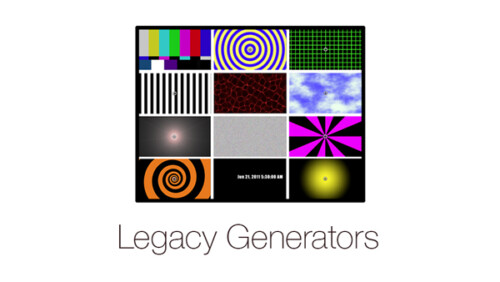
Legacy Generators
A classic set of generators you may recognize from legacy versions of Final Cut Pro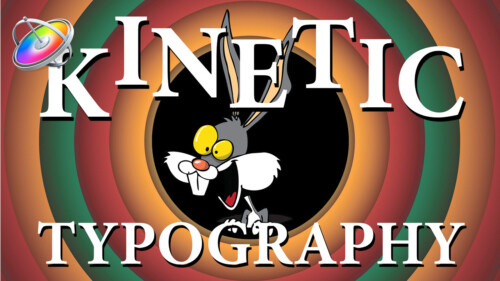
Kinetic Typography in Motion 5.3
Kinetic Typography is a popular style of motion graphics that combines animated text with the spoken word in such a way that it evokes a particular emotion or an idea. This tutorial will teach you how to animate text in a way that is both creative and fun.
Keying and Compositing in FCP
Learn how to create clean keys and convincing composite images by mastering the Final Cut Pro’s Keyer and related tools through understanding and practice.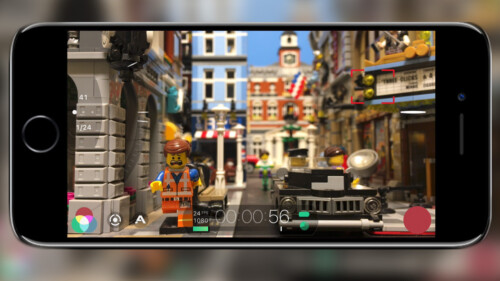
iPhone Video Production and Post
In this tutorial, you’ll learn about the gear, the software and the editing workflows for getting the most out of your iPhone as a professional production tool.
HDR Editing and Delivery
Learn the foundations of editing and delivering great looking HDR movies in Final Cut Pro.Go to Top