-
RT Markups
RT Markups is a collection of 26 title templates that allow you to quickly emphasize or exclude text and other on-screen objects.
RT Arrows
RT Arrows is a set of 39 title templates for Final Cut Pro that give you the ability to add customizable animated arrows to videos, photos, and other visuals.
Color Grading in Final Cut Pro
Color Grading in Final Cut Pro teaches you both the art and science of color grading, unlocking the full potential of Final Cut's deep tool set in the context of a structured grading approach so that you can manipulate color to support your storytelling goals.Sale!
Final Cut Pro Masters Bundle
9 Final Cut Pro tutorials encompassing over 26 hours of training. This is our definitive curriculum covering every aspect of Final Cut Pro post production. SAVE 42%Sale!
Final Cut Pro Essentials Bundle
Our Editors Essentials Bundle is a set of our 5 most popular Final Cut Pro tutorials encompassing over 17 hours of training. Purchase this bundle and save 36%.
Media Management in DaVinci Resolve 19
Media Management in DaVinci Resolve will give you the tools for improving playback performance, preparing your project for remote editing and backing up your work.
Creating Effects with Masks in Final Cut Pro 11
Learn how to use Final Cut Pro's Magnetic Mask, in combination with other masks for color grading, special effects, text effects, cloning effects and more!
DaVinci Resolve 20 Core Training
In this introductory training course you’ll learn how to import, organize, edit, add effects, color grade, mix, and deliver finished projects using DaVinci Resolve 20.
Color Grading in DaVinci Resolve 20
Color Grading in Resolve 20 will teach you how to leverage DaVinci Resolve 20's deep color grading tool-set to improve both the quality of your images and the speed at which you’ll be able to work.
Final Cut Pro 12.3 Core Training
A foundational and immersive learning experience focusing on Apple’s editing application, Final Cut Pro.
Media Management in Final Cut Pro
Learn how Final Cut Pro manages media; where it’s stored; how to copy, move and delete it; when to work with proxy media, and best practices for collaborating with other editors.
Lighting the Interview
This tutorial will give you the tools and know-how for putting your interview subjects in the best possible light while maximizing your viewer’s focus on your subjects. Learn effective lighting strategies for success.
Getting Started in Motion
Our foundational course that will help you create engaging motion graphics, titles and effects for your videos. Follow along in Motion as we walk you through building and delivering a project from start to finish.
RT Helpers
RT Helpers are a set of 8 highly useful Final Cut Pro plugins for everyday editorial tasksSale!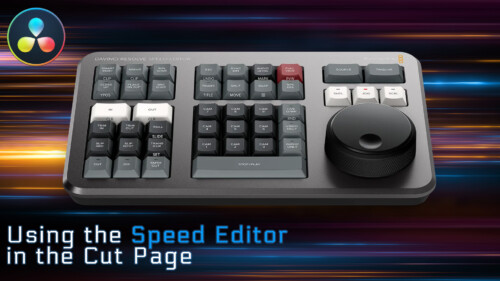
Using the Speed Editor in the Cut Page
Learn how to perform a complete edit in Resolve 17’s Cut Page using Blackmagic Design’s new Speed Editor control surface.
Sound Editing in Final Cut Pro
Learn how to improve the quality of your soundtracks using the tools built right into Final Cut Pro.
Ripple Whips 3.0
Ripple Whips 3.0 is a set of dynamic, camera-driven, highly customizable transitions that add energy and fluidity to your cuts.
Warp Speed Editing in Final Cut Pro
Work faster, more confidently and ultimately more creatively, by learning our battle-tested editing strategies and workflows.
Building a Promo in Final Cut Pro
In this tutorial, you will edit, grade, audio sweeten and deliver, a corporate video for a high-end winery in Napa Valley, Ca.
Visual Storytelling for Corporate Video
This tutorial takes you through all the steps of creating a successful corporate video, from initial client briefs, editing, getting client feedback and delivering a finished video that meets the client’s needs.Sale!
Warp Speed Fusion in DaVinci Resolve 16/17
Warp Speed Fusion will give you a solid grasp on how nodal compositing works in the Fusion Page and how to tackle basic motion graphics and visual effects shots.
RT Paths
RT Paths is a set of templates that allow you to add adjustable path animations to your videos.
Building a Motion Graphics Toolkit for Final Cut Pro X
In this tutorial, you’ll learn how to build an awesome collection of text, graphics and animated elements that will be readily available within Final Cut Pro whenever you need them.
Commercial Editing Techniques
This tutorial will help you understand the editorial decisions that go into creating an engaging commercial by teaching techniques that sell your product and leave an impression.Go to Top