-

Creating 3D Titles in Motion
An immersive tutorial focusing on Motion’s 3D titles. Learn how to place 3D text into scenes that include realistic environments, lighting and shadows. Also learn how to make custom textures, layers and finishes.
Short Film Editing Techniques
More than just technical explanations of editorial techniques, this tutorial focuses on the creative thinking behind each edit decision and how they have a positive or negative impact on the story.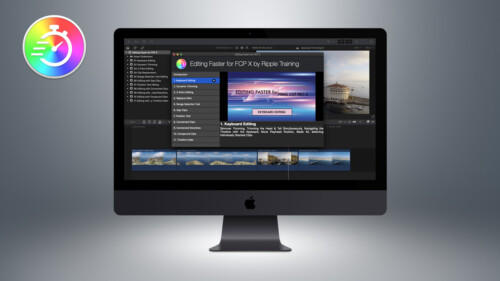
Editing Faster for FCP X
Editing Faster fore Final Cut Pro is a video tutorial series that was created to help you improve your skills and maximize your efficiency when editing in Final Cut Pro.
FCP for iPad 3.3: Getting Started
A comprehensive and immersive learning experience designed to help you master Final Cut Pro for iPad.
AI-Enhanced Workflows in Creator Studio
AI-Enhanced Workflows in Apple Creator Studio explores how Final Cut Pro users can boost productivity by integrating Apple’s creative apps with a wide range of built-in and third-party AI tools.
HDR Editing and Delivery
Learn the foundations of editing and delivering great looking HDR movies in Final Cut Pro.
Mark in Motion: Rigging and Publishing
Learn how to take motion graphics projects created in Motion and turn them into titles, transitions, effects, and generators for use in Final Cut Pro.Sale!
Color Management in DaVinci Resolve 17
Color Management in Resolve 17 is a tutorial created to optimize your workflow giving you the confidence that your final output will be the best that it can be.
Warp Speed Grading Workflows in DaVinci Resolve 16.1
Warp Speed Grading Workflow in Resolve 16 will teach you the most time-efficient grading strategies when working in Resolve’s Color Page.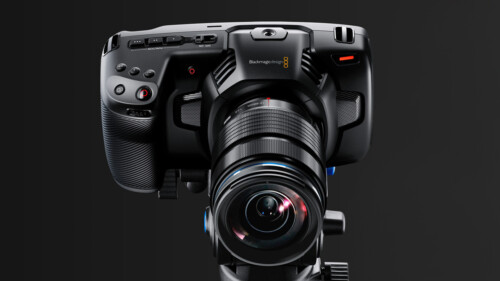
Up and Running with the Pocket Cinema Camera 4K
In this tutorial, learn the ins and outs of setting up and shooting with Blackmagic Design’s Pocket Cinema Camera 4K.
The Art of Cutting Interviews in FCP X
Learn to edit interviews more efficiently using a combination of Final Cut Pro’s excellent metadata tools and third-party transcription applications and editing services.
Working with Audio Effects in FCP
In this tutorial, you’ll learn how to improve and enhance your voice tracks with just the built-in audio effects in Final Cut Pro.Go to Top