-

Guitars & Bass in Logic Pro X
A rockin’ tutorial that’s focused on recording, manipulating and mastering guitar and bass tracks. You don’t even need to play guitar to make great sounding tracks on your next project using Logic Pro X.
Ripple Training for iMovie
Ripple Training for iMovie is a highly-focused video editing tutorial for Apple’s iMovie editing software.Sale!
Essential Audio Effects in DaVinci Resolve 17
In this tutorial, you’ll learn how to improve and/or enhance your voice-over dialogue tracks with just the built-in audio effects in DaVinci Resolve.Sale!
Final Cut Pro Essentials Bundle
Our Editors Essentials Bundle is a set of our 5 most popular Final Cut Pro tutorials encompassing over 17 hours of training. Purchase this bundle and save 36%.
HDR Editing and Delivery
Learn the foundations of editing and delivering great looking HDR movies in Final Cut Pro.
Media Management in DaVinci Resolve 19
Media Management in DaVinci Resolve will give you the tools for improving playback performance, preparing your project for remote editing and backing up your work.
Kinetic Typography in Motion 5.3
Kinetic Typography is a popular style of motion graphics that combines animated text with the spoken word in such a way that it evokes a particular emotion or an idea. This tutorial will teach you how to animate text in a way that is both creative and fun.
Working with LUTs in Resolve 14/15
In this tutorial, you’ll learn how the proper use of LUTs (Look Up Tables) can benefit your grading workflow in Resolve.
Fusion 101: Getting Things Done
Unlock the power of DaVinci Resolve's Fusion Page by learning basic compositing and visual effects strategies that will level-up your videos.
RT Arrows
RT Arrows is a set of 39 title templates for Final Cut Pro that give you the ability to add customizable animated arrows to videos, photos, and other visuals.
Warp Speed Grading Workflows in DaVinci Resolve 16.1
Warp Speed Grading Workflow in Resolve 16 will teach you the most time-efficient grading strategies when working in Resolve’s Color Page.
RT Shortcuts
RT Shortcuts is a Final Cut Pro title plugin that allows you to quickly add keyboard shortcut graphics to your tutorials and how-to videos.
Mixing Strategies in Final Cut Pro X
Gain a deeper understanding of the audio mixing and delivery process in Final Cut Pro.
Visual Storytelling for Corporate Video
This tutorial takes you through all the steps of creating a successful corporate video, from initial client briefs, editing, getting client feedback and delivering a finished video that meets the client’s needs.
Problem Solving in DaVinci Resolve 15
Problem Solving in DaVinci Resolve 15 is a nuts and bolts tutorial that will teach you how to evaluate and correct common footage-related problems that editors often encounter during color color correction and grading in DaVinci Resolve.
Creating Effects with Masks in Final Cut Pro 11
Learn how to use Final Cut Pro's Magnetic Mask, in combination with other masks for color grading, special effects, text effects, cloning effects and more!
Color Grading in DaVinci Resolve 20
Color Grading in Resolve 20 will teach you how to leverage DaVinci Resolve 20's deep color grading tool-set to improve both the quality of your images and the speed at which you’ll be able to work.
Commercial Editing Techniques
This tutorial will help you understand the editorial decisions that go into creating an engaging commercial by teaching techniques that sell your product and leave an impression.
Building a Motion Graphics Toolkit for Final Cut Pro X
In this tutorial, you’ll learn how to build an awesome collection of text, graphics and animated elements that will be readily available within Final Cut Pro whenever you need them.
Warp Speed Logic: Scoring to Picture
In this training course, you will learn the basics of music scoring using Apple's Logic Pro. You'll work with loops and virtual instruments to arrange your song to picture, then mix and deliver a finished master. This tutorial is perfect for the Final Cut Pro user.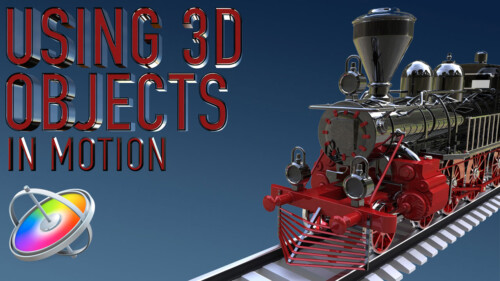
Using 3D Objects in Motion
This tutorial will teach you the key factors you need to know to be able to work with 3D models in both Motion and Final Cut Pro.Sale!
Motion Essentials Bundle
Our Motion Essentials Bundle includes 4 of our most popular tutorials at a savings of 33%.
Working with Dialogue & Voice in Logic Pro X
An indispensable tutorial that focuses on recording, editing and mixing dialogue, voiceover, narration and song vocals.
Music Scoring for Video in Logic Pro X
Unleash your inner John Williams by showing you the secrets of creating evocative scores and soundscapes for your films or videos using Logic’s powerful Synth and Percussion instruments.Sale!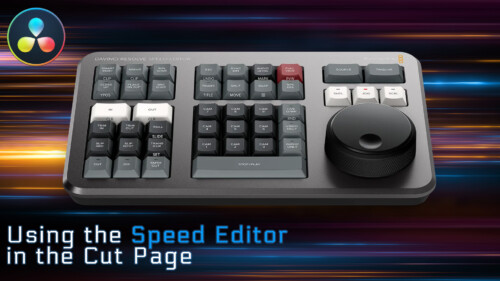
Using the Speed Editor in the Cut Page
Learn how to perform a complete edit in Resolve 17’s Cut Page using Blackmagic Design’s new Speed Editor control surface.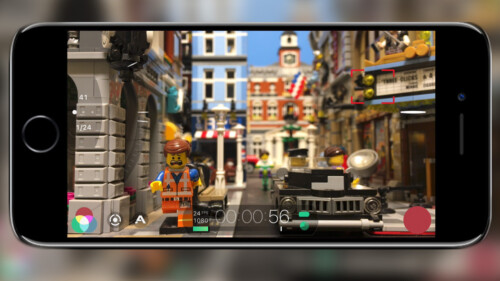
iPhone Video Production and Post
In this tutorial, you’ll learn about the gear, the software and the editing workflows for getting the most out of your iPhone as a professional production tool.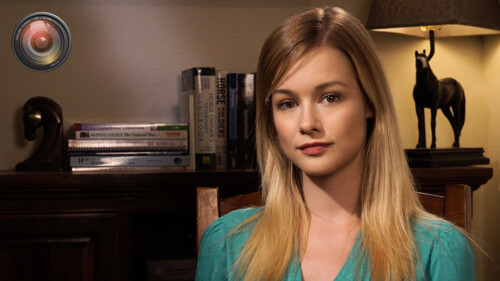
Lighting the Interview
This tutorial will give you the tools and know-how for putting your interview subjects in the best possible light while maximizing your viewer’s focus on your subjects. Learn effective lighting strategies for success.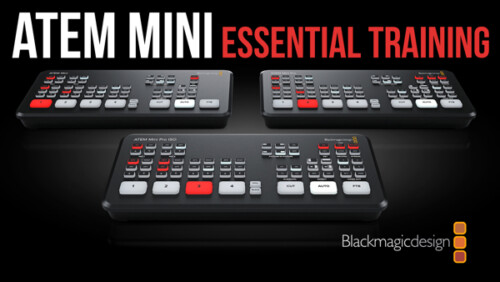
ATEM Mini/Pro Essential Training
ATEM Mini/Pro Essential Training is a deep-dive tutorial covering all aspects of the Mini and Mini Pro versions of this popular switcher for producing professional live streams.
The Art of Cutting Interviews in FCP X
Learn to edit interviews more efficiently using a combination of Final Cut Pro’s excellent metadata tools and third-party transcription applications and editing services.
Working with LUTs in Final Cut Pro
Learn how and when to use LUTs in your color grading workflow so that you can achieve and deliver the look you’re after using Final Cut Pro.
Using & Animating 3D Cameras in Motion
Jump into the director’s chair as you set up 3D scenes; frame your subjects; then dolly, sweep, pan and create fluid camera movement for your motion graphics projects.
Creating 3D Titles in Motion
An immersive tutorial focusing on Motion’s 3D titles. Learn how to place 3D text into scenes that include realistic environments, lighting and shadows. Also learn how to make custom textures, layers and finishes.
RT TimeWarps
RT TimeWarps is a collection of 5 plugins that add frame rate, motion blur, strobe, trail and echo effects to your footage.
Creating Action End Titles in Motion 5
Mark Spencer will show you how to give your titles the Tarantino treatment. Learn how to create highly stylized, gritty title sequences for your films, commercials or music videos. This tutorial assumes you are comfortable in Motion.
Audio Post for Video in Logic Pro X
Explore and learn real-world audio post production techniques as you build, fix, mix and ultimately output and mix a soundtrack from a short film using Logic Pro X.
Making Photos Come Alive in Motion
In this tutorial, you’ll learn how to separate your photos into layers then animate them in a variety of compelling ways using Pixelmator, Motion & mPuppet.Go to Top