-
Sale!
Color Management in DaVinci Resolve 17
Color Management in Resolve 17 is a tutorial created to optimize your workflow giving you the confidence that your final output will be the best that it can be.
Building a Motion Graphics Toolkit for Final Cut Pro X
In this tutorial, you’ll learn how to build an awesome collection of text, graphics and animated elements that will be readily available within Final Cut Pro whenever you need them.Sale!
Warp Speed Fusion in DaVinci Resolve 16/17
Warp Speed Fusion will give you a solid grasp on how nodal compositing works in the Fusion Page and how to tackle basic motion graphics and visual effects shots.
RT Paths
RT Paths is a set of templates that allow you to add adjustable path animations to your videos.
Warp Speed Editing in Final Cut Pro
Work faster, more confidently and ultimately more creatively, by learning our battle-tested editing strategies and workflows.
Building a Promo in Final Cut Pro
In this tutorial, you will edit, grade, audio sweeten and deliver, a corporate video for a high-end winery in Napa Valley, Ca.
Visual Storytelling for Corporate Video
This tutorial takes you through all the steps of creating a successful corporate video, from initial client briefs, editing, getting client feedback and delivering a finished video that meets the client’s needs.
Sound Editing in Final Cut Pro
Learn how to improve the quality of your soundtracks using the tools built right into Final Cut Pro.
Ripple Whips 3.0
Ripple Whips 3.0 is a set of dynamic, camera-driven, highly customizable transitions that add energy and fluidity to your cuts.Sale!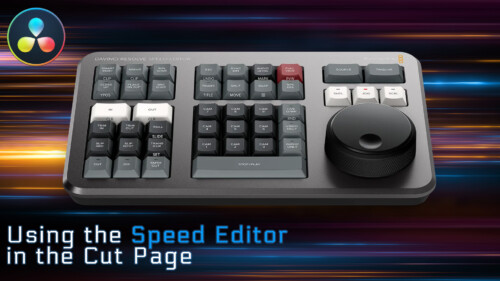
Using the Speed Editor in the Cut Page
Learn how to perform a complete edit in Resolve 17’s Cut Page using Blackmagic Design’s new Speed Editor control surface.
Getting Started in Motion
Our foundational course that will help you create engaging motion graphics, titles and effects for your videos. Follow along in Motion as we walk you through building and delivering a project from start to finish.
RT Helpers
RT Helpers are a set of 8 highly useful Final Cut Pro plugins for everyday editorial tasks
Lighting the Interview
This tutorial will give you the tools and know-how for putting your interview subjects in the best possible light while maximizing your viewer’s focus on your subjects. Learn effective lighting strategies for success.
Media Management in Final Cut Pro
Learn how Final Cut Pro manages media; where it’s stored; how to copy, move and delete it; when to work with proxy media, and best practices for collaborating with other editors.
Final Cut Pro 12.3 Core Training
A foundational and immersive learning experience focusing on Apple’s editing application, Final Cut Pro.Sale!
Text in Motion 5
Our definitive video tutorial on creating, styling and animating 2D text in Motion. Learn how to format, animate, distort and randomize your text and even turn text into particles.
Creating Action End Titles in Motion 5
Mark Spencer will show you how to give your titles the Tarantino treatment. Learn how to create highly stylized, gritty title sequences for your films, commercials or music videos. This tutorial assumes you are comfortable in Motion.Sale!
Rigging & Publishing in Motion 5
Learn how to create custom titles, effects, transitions and generators in Motion 5, then publish them for use in Final Cut Pro X.
Creating 3D Titles in Motion
An immersive tutorial focusing on Motion’s 3D titles. Learn how to place 3D text into scenes that include realistic environments, lighting and shadows. Also learn how to make custom textures, layers and finishes.
Warp Speed Effects in FCP
Designed as a companion tutorial to our best-selling Warp Speed Editing in Final Cut Pro, you’ll learn how to quickly create effects and dynamic visuals to enhance your story while creating maximum viewer impact.
Guitars & Bass in Logic Pro X
A rockin’ tutorial that’s focused on recording, manipulating and mastering guitar and bass tracks. You don’t even need to play guitar to make great sounding tracks on your next project using Logic Pro X.
Optics
Optics is a Final Cut Pro X plug-in that creates a first-person perspective through different sets of camera viewfinders, scopes and binoculars.
Timelines
Ripple Timelines is a collection of 8 Final Cut Pro X transition effects that create graphical timelines for your videos. Each transition is highly customizable allowing you to change just about everything.
RT Shutter
RT Shutter is a free Final Cut Pro transition that simulates a mechanical lens shutter as a photo is being taken
RT Bounce
Apply an animated bounce to your clips with adjustable speed and timing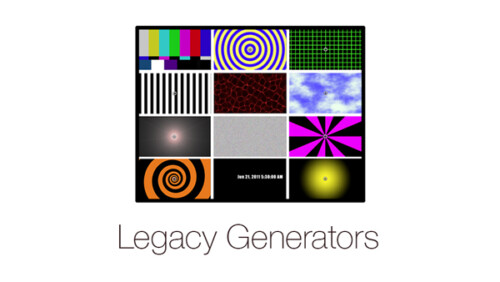
Legacy Generators
A classic set of generators you may recognize from legacy versions of Final Cut Pro
Color Balance
Manipulate color balance and contrast using familiar color wheels
Video in Text
Create a Video-in-Text effect with drag and drop efficiency
Warp Speed Motion for FCP Editors
Quickly and easily create professional titles, transitions, visual effects and more without learning all the ins and outs of a motion graphics application.
Warp Speed 3D in Motion
Warp Speed 3D in Motion is a project-driven tutorial that will get you up to speed quickly using Motion’s 3D toolset to create dynamic 3D animations to engage your viewers.
Kinetic Typography in Motion 5.3
Kinetic Typography is a popular style of motion graphics that combines animated text with the spoken word in such a way that it evokes a particular emotion or an idea. This tutorial will teach you how to animate text in a way that is both creative and fun.
RT Type-On Cursor Plugin
RT Type-On is a free Final Cut Pro plugin that simulates data entry on a computer keyboard.
Music Editing in Final Cut Pro 10.4 and GarageBand
Enhance your visual storytelling by learning how to choose, edit, arrange and mix music using both Final Cut Pro and GarageBand.
Creating Particle Effects in Motion
Learn fundamental skills for creating, modifying and animating Motion’s particle system to create some seriously cool eye candy.
Ripple Tools Complete 2
Tools Complete 2 is an awesome set of 37 Final Cut Pro X plugins that will allow you to quickly accomplish a number of effects and editorial tasks.
360 Video Editing in Final Cut Pro 10.4
Place your viewers in the center of the action by learning now to edit and deliver 360 videos to the web or head mounted displays.Go to Top